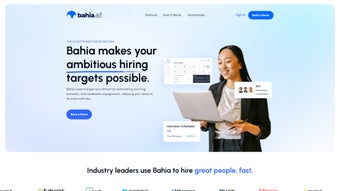

Download Bahia AI – AI Content Creation, Predictive Analytics & Data Visualization Tool
Overview of Bahia AI
Bahia AI positions itself as a comprehensive, cloud‑native AI‑powered platform built for a wide spectrum of users, ranging from solo content creators and small‑business marketers to large‑scale data science teams in Fortune 500 enterprises. At its core, the software fuses advanced natural language processing (NLP), generative language models, predictive analytics, and interactive data visualizations into a single, intuitive dashboard. This unification eliminates the need for juggling multiple specialized tools, thereby reducing both operational overhead and licensing complexity.
The platform’s guided workflow walks users through every stage of an AI project—from data ingestion, cleansing, and feature engineering to model training, evaluation, deployment, and continuous monitoring—while still exposing a powerful API for developers who require deeper customisation. Security and compliance are baked in from day one: end‑to‑end encryption, role‑based access controls, audit logging, and adherence to GDPR, CCPA, and ISO‑27001 standards ensure that sensitive business data remains protected. Whether you need to generate SEO‑friendly blog posts in seconds, forecast quarterly sales with high confidence, or transform raw datasets into compelling heat maps for executive presentations, Bahia AI delivers a seamless experience that accelerates time‑to‑value.
The platform also supports collaborative workspaces, version control for AI models, and automated model retraining, making it an ideal choice for organisations that value both speed and governance.
Key Features That Set Bahia AI Apart
- AI‑Driven Content Generation: Produce high‑quality blog posts, product descriptions, ad copy, and social media updates using large language models fine‑tuned for specific industries, brand voices, and SEO requirements. The system automatically suggests keywords, meta tags, and internal linking structures.
- Natural Language Processing (NLP) Engine: Leverage state‑of‑the‑art transformers for intent detection, sentiment analysis, entity extraction, and multilingual translation, enabling voice‑activated queries and conversational bots that understand nuanced user requests.
- Predictive Analytics Suite: Build, train, and validate regression, classification, and time‑series models with drag‑and‑drop pipelines. Integrated auto‑ML suggests optimal algorithms, hyper‑parameters, and feature sets, delivering forecasts for sales, churn, demand, and more.
- Interactive Data Visualization: Create custom dashboards using widgets such as heat maps, funnel charts, geographic maps, and real‑time line graphs. Users can drill down into any data point, export visualizations as PNG or PDF, and embed them in external reports.
- Model Lifecycle Management: Full version control, automated retraining triggers based on data drift detection, and performance dashboards that alert teams when model accuracy falls below predefined thresholds.
- Collaboration & Sharing: Team workspaces support role‑based permissions, comment threads, and change‑log tracking. Stakeholders can review model outputs, approve content drafts, and request revisions without leaving the platform.
- Secure Cloud Infrastructure: Multi‑region, ISO‑27001‑certified data centers with TLS 1.3 in‑transit encryption, AES‑256 at‑rest encryption, and regular third‑party security audits guarantee enterprise‑grade protection.
- Extensible API & SDKs: RESTful endpoints, Python SDK, JavaScript library, and Webhooks enable seamless integration with CRM, CMS, ERP, and BI tools, allowing organisations to embed AI capabilities directly into existing workflows.
- Automatic Updates & Patch Management: The platform continuously rolls out new model versions, security patches, and feature enhancements without downtime, ensuring users always work with the latest technology.
- Cross‑Platform Accessibility: A responsive web interface works on Windows, macOS, Linux, and popular mobile browsers. Native iOS and Android apps provide push notifications for model alerts and on‑the‑go content generation.
Installation, Setup & Everyday Usage
Getting started with Bahia AI is intentionally frictionless. As a SaaS‑first solution, there is no traditional download for most users. Simply navigate to the official website, click the prominent “Start Free Trial” button, and complete a brief registration form.
After confirming your email address, you receive a secure link that grants immediate access to the cloud‑hosted dashboard. For organisations that require on‑premises deployment, a Docker‑based installer is available. Pull the image from the private registry using the command:
docker pull baiaai/enterprise:latest
Once the container launches, the UI is reachable at https://localhost:8443. The first‑time login wizard guides you through connecting data sources—whether a CSV file, an SQL database, a NoSQL store, or a cloud bucket (AWS S3, Azure Blob, Google Cloud Storage). Bahia AI automatically profiles the schema, suggests preprocessing steps (e.g., missing‑value handling, normalization), and creates a sandbox dataset for rapid prototyping.
After data ingestion, click “Create New Project” to open a step‑by‑step workflow. First, select a project type: Content Generation, Forecasting, Classification, or Custom. Next, choose a pre‑built model template (e.g., GPT‑4‑Turbo for text, XGBoost for tabular data) and fine‑tune hyper‑parameters such as learning rate, batch size, and early‑stopping criteria. The platform provisions scalable GPU clusters in the background, monitors training progress, and provides real‑time loss curves. When training completes, you can preview generated content or predictive scores directly in the UI, edit outputs, and export results as CSV, JSON, or Markdown.
For production usage, the “Publish” tab converts the trained model into a secure endpoint. You can obtain an API key, set rate limits, and monitor latency and error rates via the built‑in analytics dashboard. The SDKs simplify calling the endpoint from Python scripts, JavaScript front‑ends, or low‑code platforms like Zapier. Ongoing model health is tracked with drift detection alerts; when new data patterns emerge, the system can automatically trigger a retraining job to keep accuracy high.
The platform also includes a comprehensive Help Center with video tutorials, step‑by‑step guides, and a vibrant community forum. If you encounter any issues, the built‑in live chat connects you with a dedicated support engineer who can troubleshoot in real time, ensuring minimal disruption to your workflow.
Compatibility, Pros & Cons
Bahia AI is built on a responsive web framework, meaning it runs flawlessly on any modern browser—Chrome, Edge, Firefox, or Safari—on Windows 10/11, macOS Monterey and later, as well as Linux distributions with a graphical environment. Mobile access is optimised for both Android 9+ and iOS 13+ devices, allowing you to review dashboards, generate content, or monitor model health from a smartphone or tablet. For organisations that need tighter control, the on‑premises Docker image supports deployment on Windows Server, Ubuntu 20.04+, and Red Hat Enterprise Linux 8+. Minimum system requirements for the on‑prem version include 8 GB RAM, a 4‑core CPU, and optional GPU support (NVIDIA Tesla T4 or higher) for accelerated model training. Network bandwidth of at least 10 Mbps is recommended for smooth interaction with large datasets.
Pros
- All‑in‑one platform eliminates the need for multiple disparate tools, reducing cost and complexity.
- Advanced NLP models produce high‑quality, SEO‑friendly content out of the box, saving time for marketers.
- Predictive analytics are tightly integrated with data visualization, reducing context switching and improving decision speed.
- Scalable cloud infrastructure means you pay only for compute you actually use, with transparent billing.
- Robust security and compliance features meet enterprise standards, including GDPR, CCPA, and ISO‑27001.
- Extensive API and SDKs enable custom workflows and third‑party integrations, future‑proofing your tech stack.
- User‑friendly UI shortens the learning curve for non‑technical marketers and business analysts.
- Automatic model retraining keeps AI performance up‑to‑date with new data, minimising drift.
- Comprehensive documentation, tutorials, and community support accelerate onboarding.
- Flexible licensing (Free, Professional, Enterprise) accommodates businesses of any size.
Cons
- Pricing for the Enterprise tier can be high for small startups or solo entrepreneurs.
- On‑premises deployment requires Docker expertise and adequate hardware, which may add operational overhead.
- Advanced customisation of model architecture may require Python coding skills, limiting pure‑no‑code users.
- Real‑time inference latency can increase under heavy concurrent load without proper scaling configurations.
- Some niche data connectors (e.g., legacy ERP systems) are not available out of the box and may need custom development.
- Free tier imposes strict limits on monthly content generation credits, which could be restrictive for high‑volume users.
Overall Rating: 4.5/5 – Bahia AI delivers a powerful blend of content creation and analytics capabilities that make it a standout choice for businesses aiming to harness AI without a massive development overhead.
Frequently Asked Questions
Is there a free version of Bahia AI?
Yes, Bahia AI offers a 14‑day free trial with full access to all core features. After the trial, you can continue with a free tier that includes limited monthly content generation credits and basic predictive analytics, perfect for hobbyists or small teams.
Can I integrate Bahia AI with my existing CRM?
Absolutely. Bahia AI provides RESTful APIs and pre‑built connectors for popular CRMs like Salesforce, HubSpot, and Zoho. You can push generated content or predictive scores directly into contact records, automating outreach and lead scoring workflows.
What data privacy measures does Bahia AI implement?
Data is encrypted both in transit (TLS 1.3) and at rest (AES‑256). Role‑based access controls, detailed audit logs, and compliance certifications (ISO‑27001, GDPR, CCPA) ensure that your data remains secure, auditable, and fully compliant with industry regulations.
Do I need a data science background to use Bahia AI?
No. The platform’s guided wizards and pre‑trained model templates let non‑technical users generate content and insights quickly. For data scientists, an advanced mode offers full control over model architecture, hyper‑parameter tuning, and custom pipeline creation.
How does the pricing model work?
Pricing is subscription‑based with three tiers: Free, Professional (starting at $49 per month), and Enterprise (custom pricing). Each tier includes a set number of content generation credits, API calls, and data storage, with the ability to purchase additional add‑ons such as premium connectors or dedicated support.
Conclusion – Take Your Content & Analytics to the Next Level
Bahia AI stands out as a versatile, secure, and user‑centric platform that bridges the gap between creative content generation and data‑driven decision making. Its blend of NLP, predictive analytics, and interactive visualizations empowers teams across marketing, sales, product development, and data engineering to produce high‑quality output faster while maintaining strategic insight. Whether you’re a small business looking to automate blog posts, a marketing agency seeking to scale SEO‑friendly copy, or a large enterprise needing a robust AI infrastructure, Bahia AI offers a flexible solution that grows with your needs. Ready to experience AI‑enhanced productivity? Download Bahia AI today and start your free trial—unlock the power of intelligent content and analytics in a single, secure platform.



.png)



